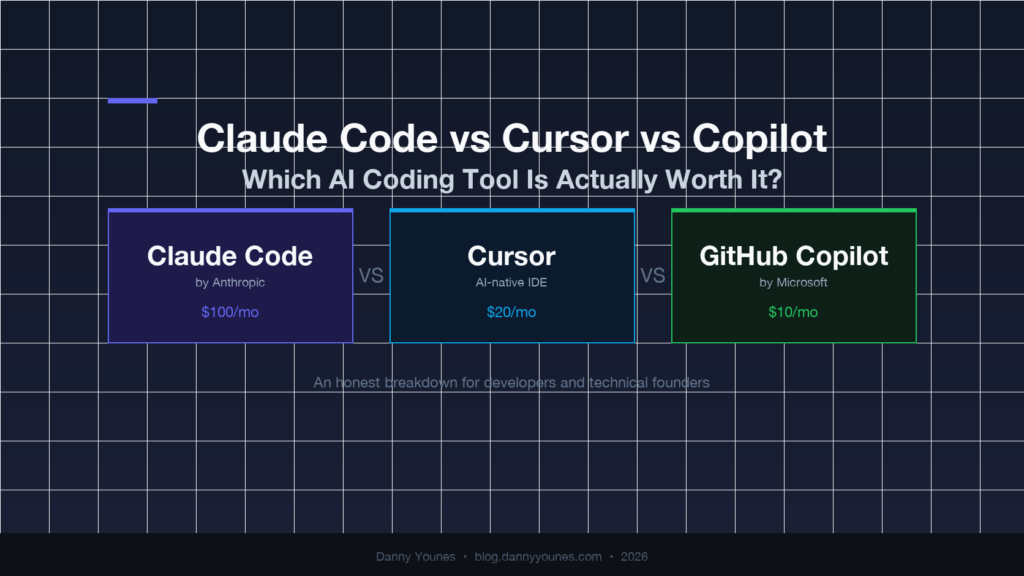
Every developer has an opinion on this. Claude Code vs Cursor vs Copilot is the most argued comparison in developer communities right now. I’ve used all three for real production work, and the honest answer is more nuanced than most comparisons give you.
The short version: they’re not really competitors. They solve different problems at different layers of your workflow. But if you have to pick one, where you spend your time determines the answer.
Here’s the full Claude Code vs Cursor vs Copilot breakdown.
The Quick Verdict
Before going deep, here’s the one-sentence answer for each:
- Claude Code: Best for autonomous, multi-file, agentic work. The agent that actually executes.
- Cursor: Best for day-to-day coding inside an IDE. The smartest editor you can buy.
- GitHub Copilot: Best for teams, enterprise, and budget-conscious developers. The safe default.
If you’re building production systems and you want an AI that can take a task and ship it, you need Claude Code. If you want the best IDE experience right now, get Cursor. If your company already pays for it, Copilot is better than nothing.
Now for the detail.
What Each Tool Actually Is
The marketing blurs the lines here. Worth being precise.
GitHub Copilot is an autocomplete tool that grew up. It started as tab-completion inside VS Code and grew into a chat assistant. It’s embedded in the GitHub ecosystem and works inside most major IDEs.
Cursor is a full IDE built on VS Code. Not an extension. It is the editor. It ships with inline autocomplete, a chat panel, and a Composer feature for multi-file changes. It pulls from multiple models including Claude and GPT-4.
Claude Code is neither of those things. It runs in your terminal. No IDE. It’s an autonomous agent that reads your files, runs commands, edits code, writes tests, and comes back with results. Built by Anthropic, running on Claude models, it’s the closest thing to delegating an entire task to another developer.
That distinction matters. Copilot and Cursor are productivity multipliers inside the code you’re actively writing. Claude Code is a separate agent you hand work off to entirely.
Claude Code vs Cursor vs Copilot: Head-to-Head
Let’s put Claude Code vs Cursor vs Copilot to the test across five dimensions: autonomy, day-to-day experience, context, cost, and learning curve.
Autonomous Work: Who Can Actually Ship a Feature?
This is the test that matters most.
Copilot loses here. It’s not built for autonomy. It suggests, you decide, you implement. The tool is fundamentally reactive.
Cursor gets partial credit. The Composer feature can make multi-file changes across your codebase. But you’re still in the IDE, reviewing each change before it applies. It’s guided collaboration, not delegation.
Claude Code wins. You describe the task, it researches your codebase, creates a plan, executes the changes, runs the tests, and surfaces the result. It reads your CLAUDE.md, understands your patterns, and makes decisions without needing to be hand-held through every step.
The gap is real. For a feature that touches five files and needs test coverage, Cursor takes 45 minutes of active back-and-forth. Claude Code takes 15 minutes of setup and then you step away.
This is the shift described in Agentic Engineering: Why Most Developers Are Leaving 30% on the Table — using AI to execute, not just to suggest.
Day-to-Day Coding Experience
This is where Cursor pulls ahead.
Cursor’s tab autocomplete is the best on the market right now. It predicts whole lines, whole functions, sometimes the entire next block you were about to write. It’s faster and more context-aware than Copilot’s suggestions. And because it’s the IDE itself rather than a plugin, the integration is seamless.
Claude Code has no IDE. If you want autocomplete while you’re actively writing code, Claude Code doesn’t help. It’s not designed for that layer.
Copilot is serviceable. It works. If you’re in VS Code, it adds value. But Cursor’s autocomplete is noticeably better, and the chat experience is more fluid for quick questions.
For pure coding-while-writing: Cursor first, Copilot second, Claude Code not in this race.
Context and Project Understanding
This is the most underrated dimension in the comparison.
Copilot has limited project context. It reads the files you have open and nearby code. It doesn’t understand your whole codebase.
Cursor is better. It can index your project and pull relevant context into responses. The chat knows about your codebase beyond just the current file.
Claude Code treats your entire project as the context. You set up a CLAUDE.md with your conventions, architecture decisions, and patterns. Every session starts with full project knowledge. When you use Plan Mode before executing, Claude maps the complete change surface before writing a single line.
For large, complex codebases, that context gap compounds. Claude Code makes fewer wrong-direction mistakes because it actually understands what it’s working inside.
If you haven’t used Plan Mode yet, this post explains why it changes everything.
Cost
Real numbers as of 2026:
| Tool | Price | What you get |
|---|---|---|
| GitHub Copilot Individual | $10/month | GPT-4o, Claude models |
| Cursor Pro | $20/month | Claude 3.5, GPT-4o, Gemini |
| Claude Max (Claude Code) | $100/month | Claude Opus, Sonnet, Haiku |
Claude Code is expensive. But the right comparison isn’t monthly cost. It’s cost per hour saved.
If Claude Code saves two hours a week on autonomous tasks, and your time is worth $100/hour, it pays for itself in one week. That math only works if you’re using it for delegation, not just chat.
Copilot at $10/month is hard to argue with if your company covers it. For solo developers, Cursor Pro at $20/month delivers more value per dollar than Copilot for most workflows.
Learning Curve
Copilot has almost no learning curve. Install the extension, start getting suggestions. Nothing to configure.
Cursor has a shallow one. You need to understand when to use inline autocomplete versus chat versus Composer. Takes about a day to feel natural.
Claude Code has a real learning curve. Context management, CLAUDE.md setup, Plan Mode, sub-agents, structuring tasks for delegation. I’ve written multiple posts on getting this right because there’s genuinely a lot to learn.
The payoff is proportional to the investment. Copilot’s ceiling is lower. Claude Code’s ceiling is much higher, but you have to earn it.
Who Should Use What
Here’s how to simplify the Claude Code vs Cursor vs Copilot choice based on your situation.
Use Claude Code if:
- You’re a technical founder or senior developer building production systems
- You want to delegate entire features, not just receive suggestions
- You’re willing to learn how to work with an agent properly
- Your time is worth more than $100/month
Use Cursor if:
- You spend most of your time actively writing code
- You want the best IDE experience available right now
- You want AI help without changing your fundamental workflow
- $20/month is your budget ceiling
Use Copilot if:
- Your company already pays for it
- You’re embedded in the GitHub ecosystem
- You want something that works without any configuration
- You’re newer to AI coding tools and want a low-friction start
Use Claude Code and Cursor together if:
- You’re serious about maximum output
- Use Claude Code for autonomous tasks, Cursor for active coding sessions
That’s the combination I run. Claude Code handles anything that takes more than 30 minutes to implement. Cursor handles quick edits and debugging sessions. The two tools don’t overlap, they stack.
The Thing Most Comparisons Miss
Every Claude Code vs Cursor vs Copilot post treats these tools as interchangeable. They’re not.
The real question isn’t which tool is better. It’s which problem you’re trying to solve.
If you want to type faster, Cursor wins. If you want to delegate work, Claude Code wins. If you need something your team already standardises on, Copilot is fine.
The developers shipping the most in 2026 aren’t choosing between these tools. They’re using the right one for each layer of work. Cursor handles the writing. Claude Code handles the autonomous execution. Copilot handles whatever the team defaults to.
That’s not a clever hack. That’s just understanding what each tool is actually built for.
Want to see how far Claude Code actually goes? Start with 32 Claude Code hacks that most users haven’t found yet. The gap between a basic user and a power user is bigger than you’d expect.
Which of these three are you currently using, and what’s the one thing it can’t do that you wish it could?